
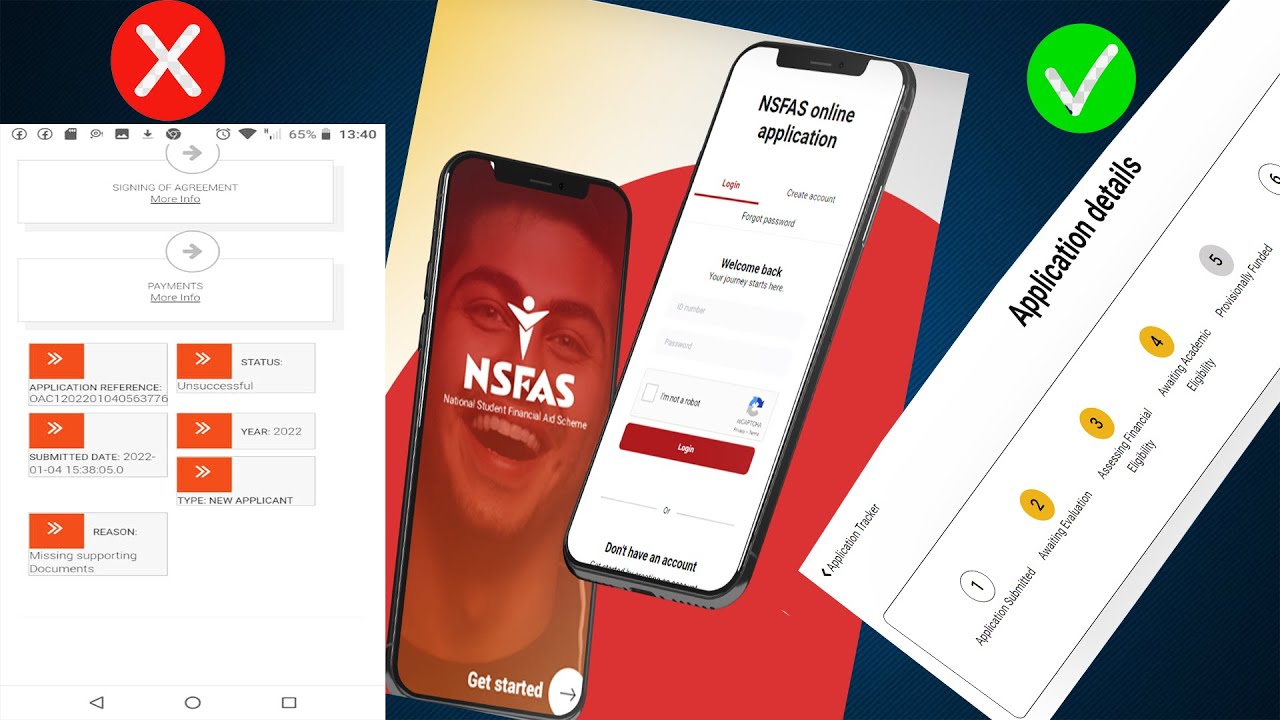
As a student in South Africa, one of the best ways to fund your tertiary education is through the National Student Financial Aid Scheme (NSFAS). Once you have applied for NSFAS funding, it is important to stay updated on the status of your application. This can be done easily by checking your status using your reference number. In this article, we will guide you on how to check your NSFAS status using your reference number.
What is NSFAS?
NSFAS is a government-funded organization that provides financial assistance to South African students who cannot afford to pay for their tertiary education. NSFAS offers funding to students for registration fees, tuition fees, accommodation, and allowances.
Why is it important to check your NSFAS status?
It is important to check your NSFAS status so as to know if your application was successful, and to know how much funding you have been allocated. This will help you to plan accordingly for your studies and to avoid any financial surprises along the way.
How to check your NSFAS status using your reference number
Checking your NSFAS status using your reference number is an easy process that can be completed online. Follow the steps below:
Step 1: Go to the NSFAS website
To check your NSFAS status, go to the official NSFAS website by typing www.nsfas.org.za in your web browser.
Step 2: Click on "MyNSFAS account"
Once you are on the NSFAS homepage, click on the "MyNSFAS account" button. This will take you to a new page where you will be required to login with your username and password. If you do not have an account, you can create one by clicking on the "Register" button and following the prompts.
Step 3: Click on "Track Funding Progress"
After logging in, click on the "Track Funding Progress" button. This will take you to a new page where you will be required to enter your ID number or your student number. Once you have entered your details, click "Submit".
Step 4: View your NSFAS status
After submitting your details, your NSFAS status will be displayed on the screen. You will be able to see if your application was successful or not, and the amount of funding you have been allocated.
Conclusion
Checking your NSFAS status using your reference number is an easy and straightforward process. By checking your status, you will be able to plan accordingly for your studies and avoid any financial surprises. It is important to regularly check your NSFAS status, especially during the application process, to ensure that you have provided all the necessary documentation and to avoid any delays in the approval of your funding.
