
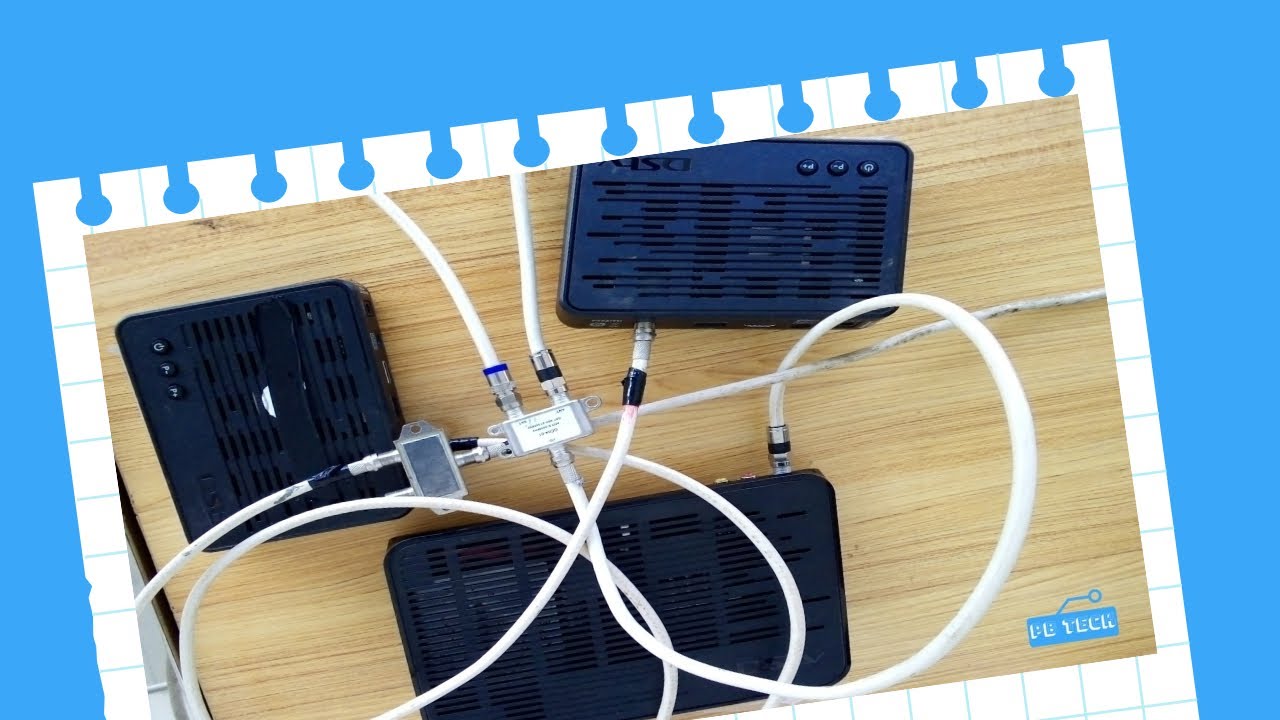
Are you tired of constantly fighting over the remote with your family members? Do you want to be able to watch different TV channels at the same time on different TVs in your house? Then the DSTV Extra View Diagram is what you need!
What is DSTV Extra View?
DSTV Extra View is a feature that allows you to connect two or more decoders to a single subscription. This means that you only need to pay for one subscription and can connect multiple decoders to watch different TV channels on different TVs at once.
What Do You Need to Connect DSTV Extra View?
To connect DSTV Extra View, you will need the following items:
- Two DSTV decoders (one primary and one secondary)
- A satellite dish
- An HDMI cable or RCA cable (depending on the type of decoder you have)
- A splitter or a Smart LNB
Step-by-Step Guide to Connect DSTV Extra View
Step 1: Set Up The Primary Decoder
Set up the primary decoder by connecting it to the satellite dish using the cable provided. Ensure that it is working properly and that you have access to all the channels in your subscription.
Step 2: Connect Smart LNB or Splitter
If your primary decoder is connected to a Smart LNB, then connect the secondary cable from the LNB to the secondary decoder. However, if you are using a splitter, then connect the cable from the satellite dish to the “IN” port of the splitter, and then connect the two cables from the “OUT” port to the two decoders.
Step 3: Pair the Decoders
Press the “MENU” button on both the primary and secondary decoders and go to “SETTINGS”. Select “PAIR” and ensure that both decoders are on the same network. The primary decoder will display the network name and PIN, which should be entered into the secondary decoder to complete the pairing process.
Step 4: Set Up The Secondary Decoder
Once the decoders are paired, set up the secondary decoder by connecting it to the TV using an HDMI cable or RCA cable. Ensure that the decoder is working properly and that you have access to all the channels in your subscription.
Conclusion
With DSTV Extra View, you can enjoy the benefits of multiple TVs and channels on a single subscription. By following these simple steps, you’ll be able to connect two or more decoders and enjoy different channels on different TVs in your house. So, what are you waiting for? Connect your DSTV Extra View today and enjoy endless entertainment!
