
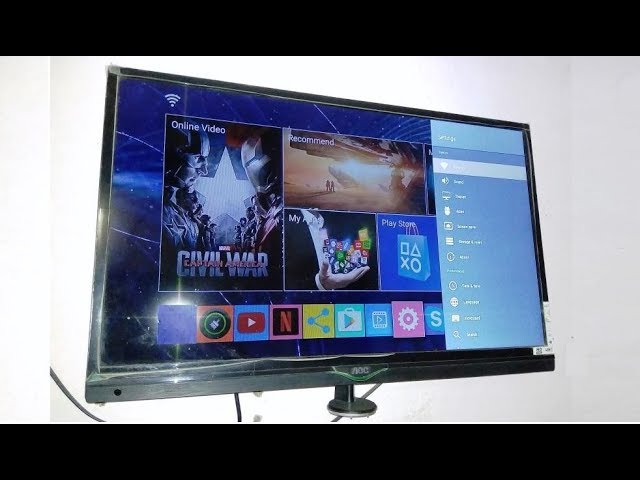
Have you recently bought a new TV box and are struggling to connect it to your television? Fret not, as it is a simple process as long as you follow the right steps.
Step 1: Check Your TV’s HDMI Ports
The first step is to check whether your television and TV box have compatible HDMI ports. Most modern televisions have at least one HDMI port, if not more. On the other hand, make sure that your TV box has an HDMI output port.
If your television does not have an HDMI port, you can still connect your TV box using alternative methods, such as using AV cables, VGA cables, or wireless streaming. However, HDMI is the preferred way of connecting your TV box to your television since it provides the highest quality audio and video output.
Step 2: Connect the TV Box to the Television
Once you have checked the compatibility of your television and TV box, you can connect the two devices using an HDMI cable.
Firstly, locate the HDMI output port on your TV box and connect one end of the HDMI cable to it. Then, locate the HDMI input port on your television and connect the other end of the HDMI cable to it. Make sure that the HDMI cable is inserted securely into both ports, and ensure that it is not loose or wobbling.
Important note:
Make sure to turn off both your TV and TV box before connecting the HDMI cable.
Step 3: Select the HDMI Input on Your TV
Once you have successfully connected your TV box to your television using the HDMI cable, turn on your television and select the correct HDMI input for your TV box. You can use your television remote to do this.
Depending on the make and model of your television, the HDMI input is labeled differently. It may be labeled as "HDMI 1", "HDMI 2", "HDMI 3", or may have a specific name given by your television manufacturer.
Step 4: Set Up Your TV Box
Once you have selected the correct HDMI input, you should see the TV box interface on your television screen.
On your TV box remote, there should be a button to turn it on, which will activate the interface. Then, follow the on-screen instructions to complete the set-up process, which may include selecting your preferred language, Wi-Fi connection, and other settings.
After the set-up process is complete, you can start using your TV box to access your favorite apps, stream movies and TV shows or even play games.
Conclusion
Connecting your TV box to your television is a simple process that can be done in just a few minutes. As long as you follow the steps outlined above and have the right equipment, you can start enjoying your TV box in no time.
