
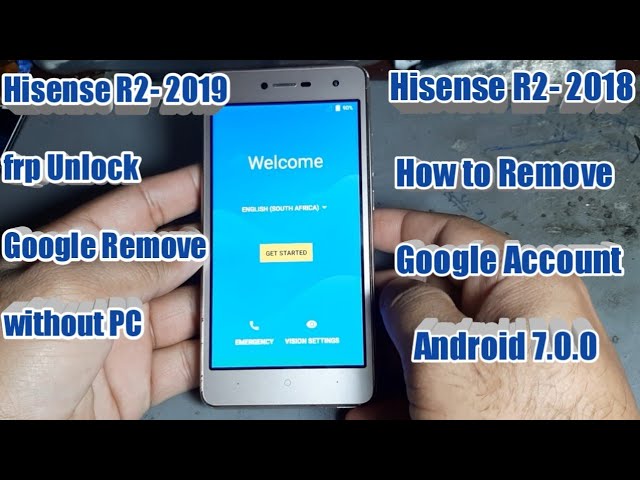
Are you having trouble accessing your Mobicel R2 because of Google's Factory Reset Protection? Don't worry, we've got you covered! In this article, we'll take you through the steps on how to bypass the Google account on your Mobicel R2, so you can regain access to all your apps and data.
Step 1: Download the FRP Bypass APK
The first step in bypassing the Google account on your Mobicel R2 is to download the FRP bypass APK from a trusted source. There are several websites that offer the APK for free, so make sure you choose a reputable site. Once you find a site, download and save the APK file on your device or on a USB drive for easy access later on.
Step 2: Connect your device to Wi-Fi
Before you begin the bypass process, make sure your Mobicel R2 is connected to a Wi-Fi network. This will enable your device to download any necessary updates or apps during the bypass process.
Step 3: Enable unknown sources
Now that you have the APK file and are connected to a Wi-Fi network, you need to enable unknown sources on your Mobicel R2. To do this, go to Settings > Lock screen and security > Unknown sources and toggle the switch to allow installations from unknown sources.
Step 4: Install the FRP Bypass APK
Next, locate the APK file you downloaded in step 1 and tap on it to install. If prompted by your device, grant permission to install the app. Once installed, open the app to begin the bypass process.
Step 5: Follow the on-screen instructions
The FRP bypass app will present you with a series of on-screen instructions that you need to follow carefully. These instructions may vary depending on the app you downloaded, but typically involve several steps to disable the Google account verification process. Make sure you read and understand each step before moving on to the next.
Here are a few things to keep in mind:
- Be patient: The bypass process can take some time, so don't get frustrated if it seems to be taking longer than expected.
- Stay connected to Wi-Fi: The app may need to download additional files or updates during the bypass process, so make sure you stay connected to Wi-Fi throughout the process.
- Read carefully: Make sure you fully understand each step before moving on to the next. Skipping steps or making mistakes can cause the bypass process to fail.
Step 6: Complete the bypass process
Once you have followed all the on-screen instructions, the app should successfully bypass the Google account verification process on your Mobicel R2. You should now be able to access your device and all your apps without any restrictions.
Keep in mind:
- Factory reset: If you still cannot access your device, you may need to perform a factory reset. However, this will erase all your data, so make sure you have a backup of all your important files and information.
- Use at your own risk: Bypassing the Google account verification process is not recommended by Google and can be risky. Make sure you understand the risks before attempting to bypass the process.
- Legal issues: Bypassing the Google account verification process may be illegal in some countries. Make sure you understand the legal implications before attempting to bypass the process.
That's it! By following these simple steps, you should now be able to bypass the Google account verification process on your Mobicel R2 device. Remember to use caution and only attempt this process if you fully understand the risks involved. Happy bypassing!
