
Welcome to this tutorial on how to program a Gemini gate motor. Gemini gate motors are widely used for both residential and commercial gates as they are reliable and durable. Programming may seem daunting at first, but with the right instructions, it becomes an easy task. In this article, we will cover everything you need to know about programming a Gemini gate motor.
What is a Gemini Gate Motor?
A Gemini gate motor is an electric motor that is used to power a gate. It is used in both residential and commercial settings and is known for being reliable and durable. Gemini gate motors are ideal for gates that are heavy or require frequent opening and closing.
How to Program a Gemini Gate Motor
Step 1: Prepare the Remote Control
Before you start programming your Gemini gate motor, make sure you have a remote control that is compatible with the motor. The remote control should be in good working condition and have fresh batteries. If your remote control is not compatible, you may need to purchase a new one from your nearest distributor.
Step 2: Access the Programming Mode
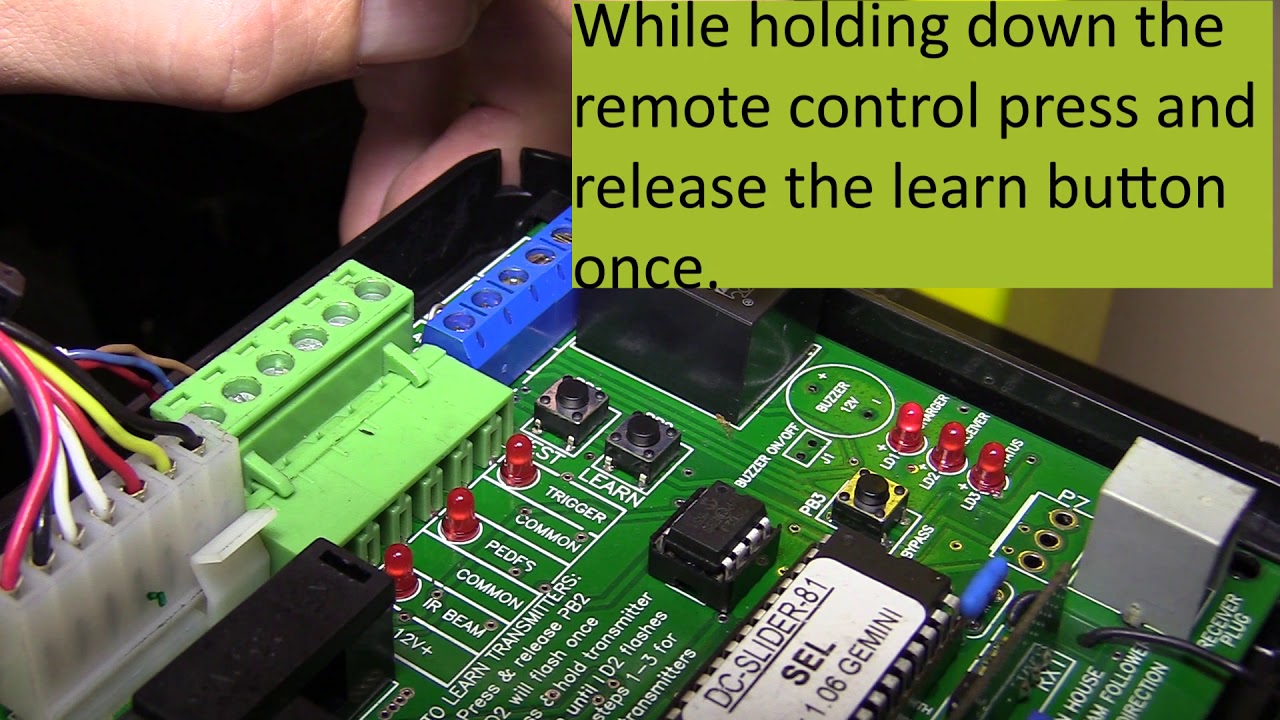
Next, you need to access the programming mode. The programming mode allows you to make changes to the way your Gemini gate motor operates. To access the programming mode, you need to locate the programming button on your motor. The programming button is usually located on the back of the motor or underneath the cover. Once you have located the button, press it and hold it down for approximately five seconds. The motor will beep, and the programming light will flash.
Step 3: Program the Remote Control
Now that you have entered programming mode, it's time to program your remote control. To program your remote control, press the button on your remote control that you want to use to open and close your gate. Then, press the programming button on the motor. The programming light will flash, and the motor will beep to confirm that the remote control has been programmed.
Step 4: Exit Programming Mode
After programming your remote control, you need to exit programming mode. To exit programming mode, press and hold the programming button for approximately five seconds. The programming light will stop flashing, and the motor will beep to confirm that you have exited programming mode.
Conclusion
Programming a Gemini gate motor is an easy task once you know how to do it. By following these simple steps, you can program your motor to respond to your remote control. Remember to always use the right remote control and to access programming mode before you attempt to make any changes. Gemini gate motors are known for being reliable and durable, and with the right programming, they can provide years of trouble-free use.
