
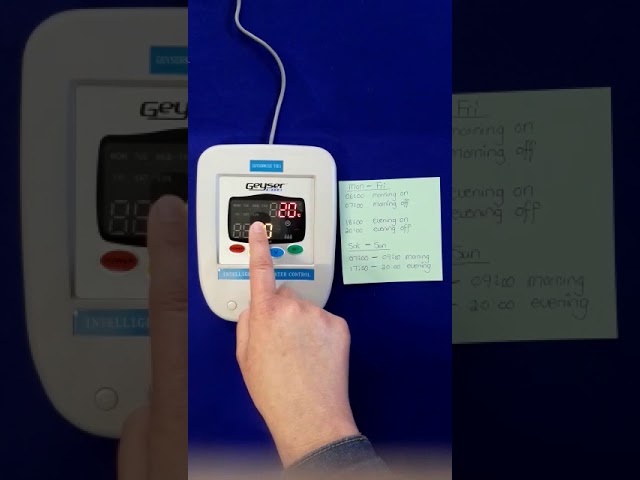
Geysers are a common household appliance used to provide hot water for various purposes. The Geyserwise system is an energy-efficient solution that allows users to manage their geysers effectively. However, like all electronic devices, it may require resetting at some point. In this article, we will guide you on how to reset Geyserwise with ease.
1. Check the power source
The first step in resetting your Geyserwise is to check its power source. Ensure that the Geyserwise controller is turned off and unplugged from the power outlet.
1.1 Check the power supply
Check that the power supply cable is securely plugged into the power outlet and the Geyserwise controller. Verify whether there is power coming from the outlet by using a multi-meter.
1.2 Check the circuit breaker
Verify whether the circuit breaker that controls the Geyserwise system is tripped. Check your breaker panel to see if the switch is in the "ON" or "OFF" position. If it is tripped, switch it back to the "ON" position.
2. Reset the Geyserwise
The second step in resetting your Geyserwise is to carry out a reset procedure. This procedure varies depending on the type of Geyserwise model you have, but most models have a reset button.
Locate the reset button on the Geyserwise controller. Press and hold the reset button for at least five seconds, then release it. Wait for the Geyserwise system to reboot, and the display should show the default setting.
2.2 Factory Default settings
If the reset button does not work, you can restore the Geyserwise system to its factory default settings. Press the menu button and navigate to the "System Settings" option. Select "Factory Default," and confirm your choice by pressing the "OK" button.
3. Contact Geyserwise customer support
If you have tried all the above solutions, and your Geyserwise still fails to reset, it may be a hardware issue with the controller. In this case, consider contacting Geyserwise customer support for further assistance.
3.1 Warranty
If your Geyserwise system is still within its warranty period, Geyserwise will offer free repair or replacement services. Check your warranty documentation to know the warranty period for your system.
Conclusion
Resetting your Geyserwise system is a straightforward process. First, check the power source by confirming that the power supply cable is securely plugged, and the circuit breaker is switched on. Next, go ahead with the reset procedure using the reset button or restore the system to factory default settings. If none of these solutions work, contacting Geyserwise customer support is the next logical step.
