
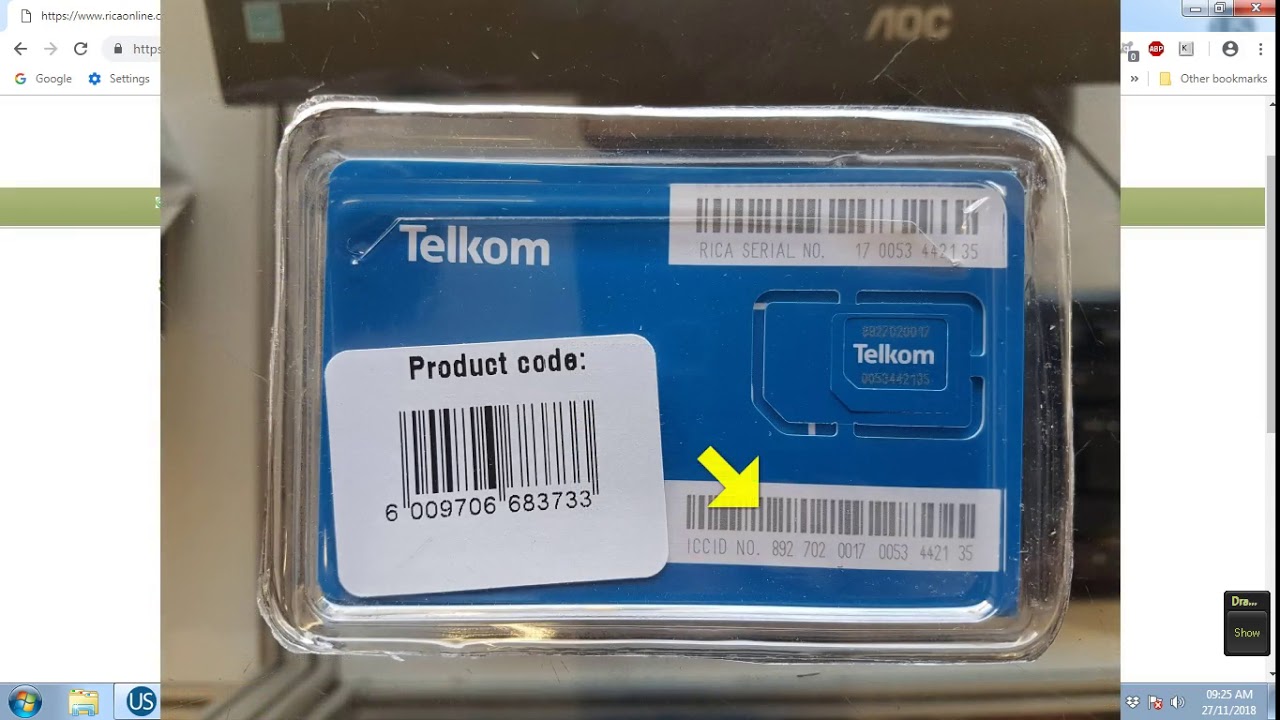
Mobile network service providers around the world have made it so easy for customers to buy airtime and activate their SIM cards remotely without necessarily visiting their service centres. In South Africa, RICA is a mandatory process for every SIM card owner. The process is aimed at combating crime by having a record of every in-service SIM card in the country.
What is RICA?
RICA – the Regulation of Interception of Communications and Provision of Communication Related Information Act – is aimed at providing a legislative framework for the lawful interception of communications to combat serious crimes, including terrorism, kidnapping, and drug-related crimes. One of the RICA requirements is that mobile network service providers are required to verify the identity of their customers before activating their SIM cards.
Why is RICA important?
RICA is an important measure towards preventing and detecting crimes in South Africa. By requiring all mobile device users to register their SIM cards, the authorities can trace the SIM and the device used in committing the crime. Without RICA, it would be difficult to trace criminal activities carried out through mobile devices, which would expose innocent people to risks.
How do you RICA a Telkom SIM card using a cell phone?
Step 1: Dial the RICA USSD code
The first step in RICA-ing a Telkom SIM card is to dial the USSD code *180#. This will prompt a pop-up window that reads “Welcome to Telkom” with options for different RICA processes.
Step 2: Select ‘RICA a SIM card’
The next step is to select the option for RICA-ing a SIM card. This will open another pop-up window with instructions to enter the required information to complete the registration process.
Step 3: Enter your ID number
You will then be required to enter your ID number or passport number if you are a foreigner. Make sure you enter the correct ID number, as any discrepancy may lead to delays in the activation of your SIM card.
Step 4: Confirm your profile details
Once you’ve entered your ID number, the system will automatically retrieve your profile details from the Department of Home Affairs database. You will be required to verify that the profile details are correct before moving on to the next step.
Step 5: Enter your SIM card’s details
The next step is to enter your SIM card’s details, including the SIM card number and the serial number found on the SIM card. Be very careful while entering these details, as any mistake may cause issues in activating your SIM card.
Step 6: Confirm the RICA process
Before concluding the registration process, you will be required to confirm that you understand the RICA process, and agree to the terms and conditions of Telkom’s services.
Step 7: Wait for confirmation of activation
After you’ve completed all the required steps, Telkom will activate your SIM card within a few hours. You will then receive a confirmation message that your SIM card has been activated and is ready for use.
In Conclusion
RICA-ing your Telkom SIM card has been made so easy that you can do it using your cell phone. Just follow the simple steps outlined in this article, and your SIM card will be activated within a few hours. Remember, RICA is an important measure towards combating crimes in South Africa, and it is your responsibility as a citizen to ensure that your SIM card is registered and activated.
