
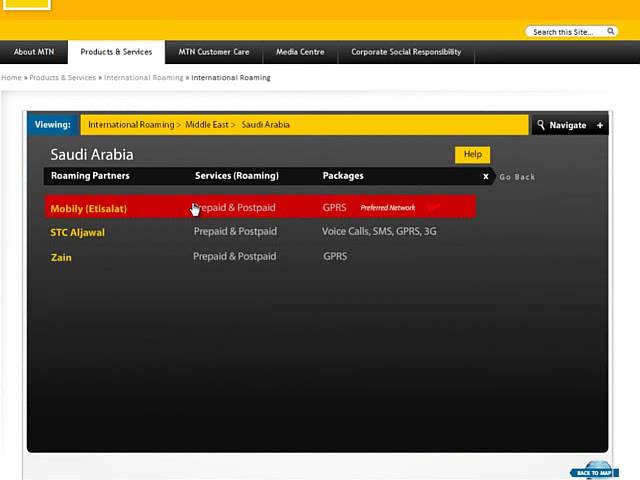
Welcome to this guide on how to activate international roaming on MTN. International roaming is a convenient service that enables you to stay connected to your loved ones or your business while traveling abroad. MTN is one of the leading telecommunications companies in Africa, with a footprint in more than 20 countries. In this guide, we will take you step by step on how to activate international roaming on MTN.
Step 1: Ensure that your SIM card is enabled for international roaming
The first thing you need to do is to ensure that your SIM card is enabled for international roaming. Not all SIM cards are automatically enabled for international roaming. To confirm if your SIM card is enabled for international roaming, dial *123*7*1# from your MTN line. If you get a message that says "Roaming is already active", then your SIM card is enabled for international roaming. If not, proceed to the next step.
Step 2: Activate international roaming
To activate international roaming on your MTN line, follow the steps below:
- Dial *123# from your MTN line
- Select option 4 (Roaming and International)
- Select option 1 (Activate Roaming)
- Confirm your activation
After confirming the activation, you will receive an SMS confirming that your international roaming has been activated. Please note that international roaming will attract additional charges, and you will need to ensure that you have sufficient airtime or credit to cover your usage while abroad.
Step 3: Check your balance and tariff plan
Before you travel, it is recommended that you check your balance and tariff plan to ensure that you are aware of the charges you will incur while abroad. To check your balance and tariff plan, follow the steps below:
- Dial *123# from your MTN line
- Select option 4 (Roaming and International)
- Select option 2 (Balance Inquiry)
You will receive an SMS with your balance and tariff plan details. Please note that you may need to change your tariff plan to enjoy lower rates while roaming. You can do this by selecting option 3 (Tariff Plan) and following the prompts.
Conclusion
In conclusion, activating international roaming on your MTN line is a simple and straightforward process that can be done in a few easy steps. Ensure that you have sufficient credit or airtime to cover your usage while abroad, and check your balance and tariff plan to avoid any unexpected charges.
