
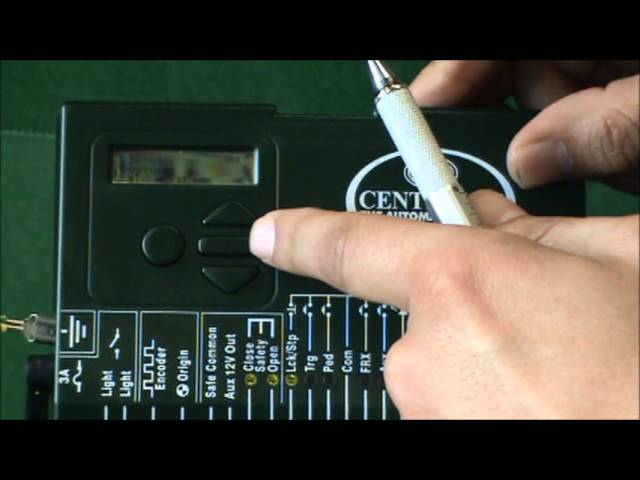
Centurion gate motors are commonly used to operate gates in residential and commercial properties. Like any other machines, they are prone to malfunction or break down, which may require you to reset them. Fortunately, resetting a Centurion gate motor is a straightforward process that anyone can do without professional assistance. Here, we will guide you on how to reset your Centurion gate motor.
Step-by-Step Guide on How to Reset Centurion Gate Motor
The first step to resetting your Centurion gate motor is to find the reset button. Typically, the reset button is located at the back of the motor. However, depending on the model, it could be in a different location. Check your owner's manual for guidance on where to locate the reset button.
Step 2: Power off the Motor
Before resetting your Centurion gate motor, you need to turn off the power supply. To do that, remove the plug from the power socket or turn off the power switch.
With the power off, press and hold the reset button for a few seconds. While holding the button, turn on the power supply to the motor. Keep holding the reset button for about ten seconds, then release it.
Step 4: Check the Gate Movement
After releasing the reset button, the motor should beep once, indicating that the reset was successful. Try operating the gate using the remote control or keypad, and check if it's working as it should. If the gate doesn't respond or operates erratically, you may need to check the motor's wiring, remote control settings, or sensor alignment.
Troubleshooting Tips: What to Do When the Reset Doesn't Work
If resetting the Centurion gate motor doesn't fix the issue, there are several things you can do to troubleshoot the problem. Here are some tips:
- Check the power supply: Ensure that the power supply to the motor is consistent and within the recommended range.
- Examine the motor: Check the motor for signs of damage or wear and tear. If any parts look broken, have them replaced.
- Check the remote control: Verify that the remote control is working correctly by replacing the batteries or reprogramming it.
- Look at the sensor: Make sure the sensor is properly aligned with the gate and that there are no obstructions that may interfere with its function.
Conclusion
Resetting a Centurion gate motor is a quick and easy process that you can do on your own. If your motor is malfunctioning or not working correctly, a reset may be all it needs to get back to functioning normally. However, if the reset doesn't work, you may need to troubleshoot the problem further, or seek professional help. Follow the steps and tips outlined above, and you'll be on your way to fixing your gate motor in no time.
